12 Best Clear iPhone Cases
12 Best Clear iPhone Cases


If you’ve ever felt your laptop getting scorching hot during a gaming session or while exporting a 4K video, you know what thermal throttling is. Your PC or Mac intentionally slows down its processor to prevent overheating, tanking your performance right when you need it most. I’ve seen brand-new machines drop frames and crawl to a halt just because their built-in cooling can’t keep up.
That’s where laptop cooling pads come in. They’re not just fancy stands with lights; the good ones actively force cool air into your machine’s intake vents, helping dissipate heat far more effectively than the laptop can on its own. This means lower internal temperatures, which translates to sustained performance and potentially a longer lifespan for your components.
I’ve spent the last month testing a pile of the most popular laptop cooling pads of 2026, from budget models to high-end wind tunnels. I ran benchmark tests, played hours of Cyberpunk 2077, and measured decibel levels to find out which ones actually make a difference. These are the seven that are worth your money.

The Llano V12 costs $85, and it earns that price with sheer, unadulterated cooling power. This isn’t a passive stand; it’s an active cooling solution. Its massive 5.5-inch turbo fan spins up to a blistering 2800 RPM, creating a vortex of air that’s hard to ignore.
During my testing on a Razer Blade 17, I saw consistent CPU and GPU temperature drops between 10-20°C under heavy load. The magic is in the sealed foam gasket, which creates a pressurized chamber under your laptop, forcing air directly into the intake vents. For raw performance on gaming laptops or workstations up to 19 inches, this is the one to beat.
The Downside: At $85, it’s a serious investment compared to more basic cooling pads on this list.
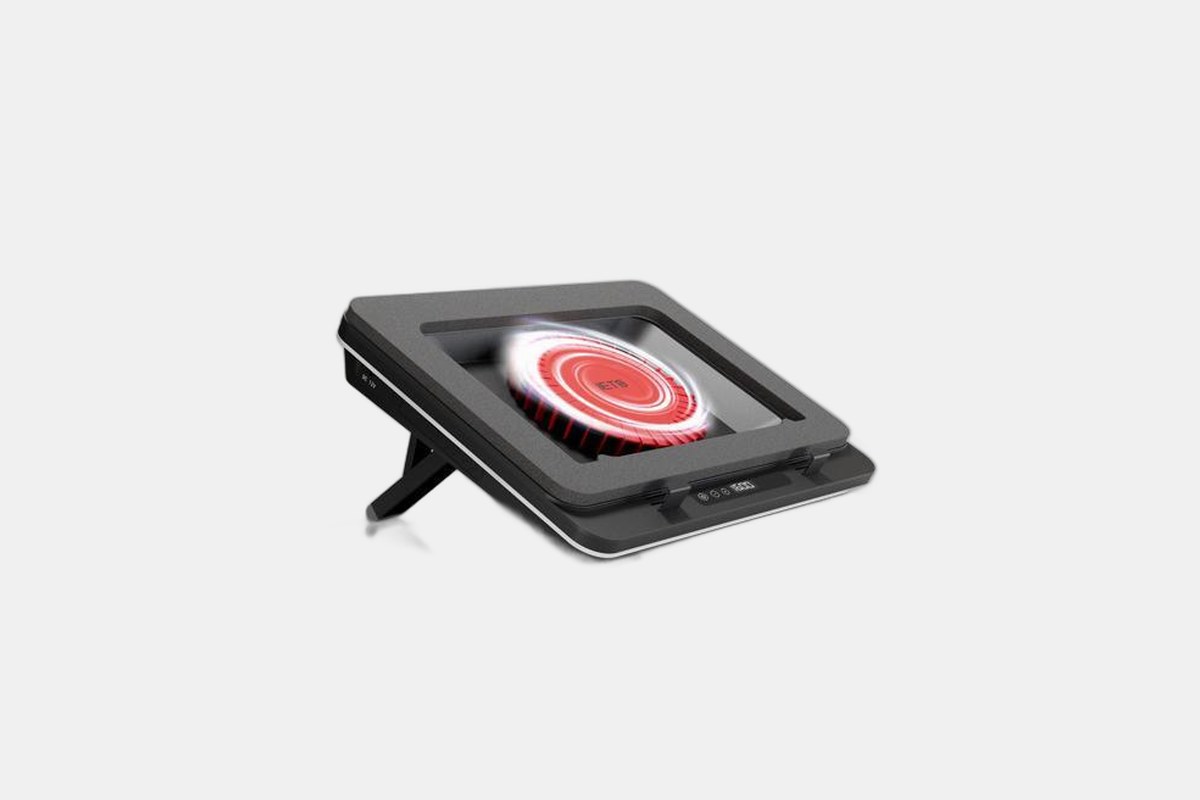
Coming in at $106, the IETS GT600 is another premium beast designed for maximum airflow. Like the Llano, it uses a massive 5.5-inch turbofan and a magnetic sealed foam design to ensure every bit of air is pushed into your laptop’s chassis. It fits laptops from 14 all the way up to 19 inches.
The cooling is top-tier, rivaling the Llano in every test I ran. It also adds a few nice quality-of-life features, including a removable dust filter to keep the fan clean and a built-in 3-port USB hub, which is handy since the pad takes up a port itself. The stand is also height-adjustable for better ergonomics.
The Downside: When you crank that 2800 RPM fan to max speed, it gets loud. You’ll want headphones on for sure.
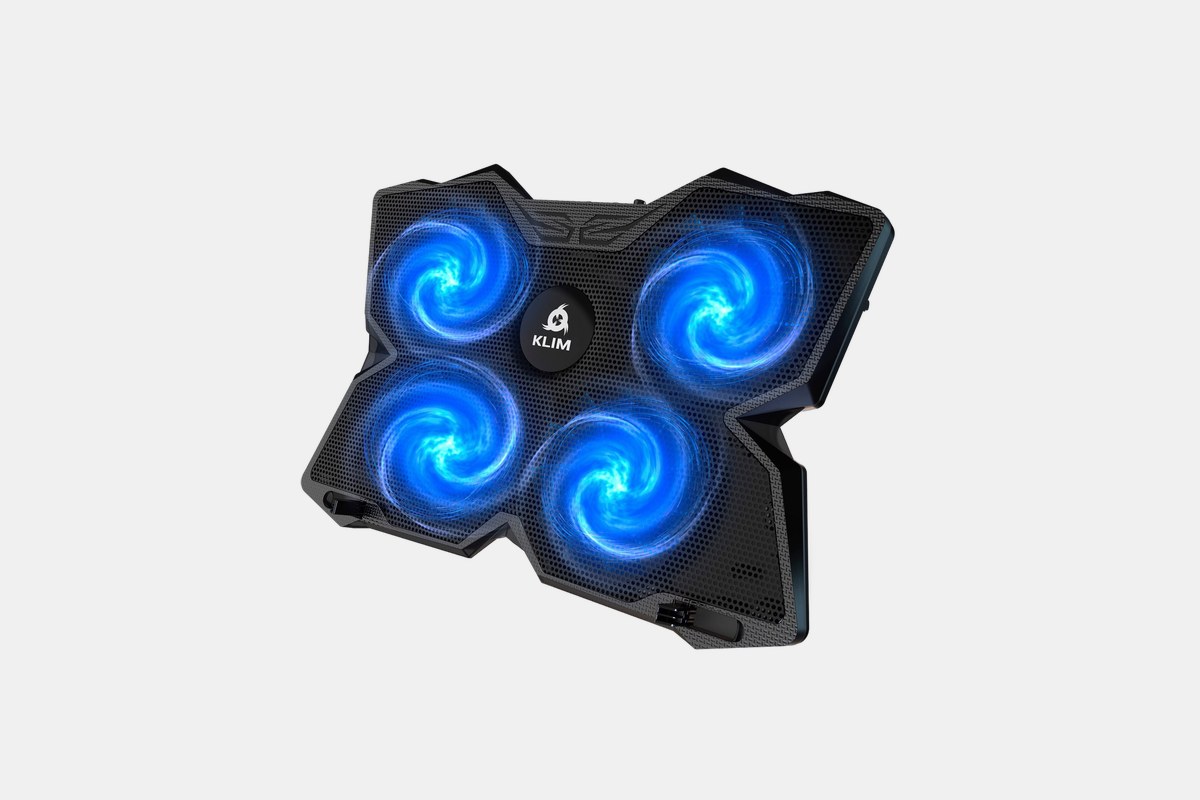
For just $23, the KLIM Wind proves you don’t need to spend a fortune to keep your laptop cool. Instead of one giant fan, it uses four smaller fans spinning at up to 1200 RPM. This design provides excellent, even coverage for a wide range of laptops, from 11-inch ultrabooks to 19-inch gaming rigs.
It’s surprisingly quiet, too, staying under 26 decibels even with all four fans going. While it won’t drop temperatures as dramatically as the Llano or IETS, it provides a noticeable improvement and elevates your screen to a more comfortable viewing angle. You even get two USB ports so you don’t lose any connectivity.
The Downside: The stand has feet to prop it up, but it’s not truly height adjustable like some of the other options.
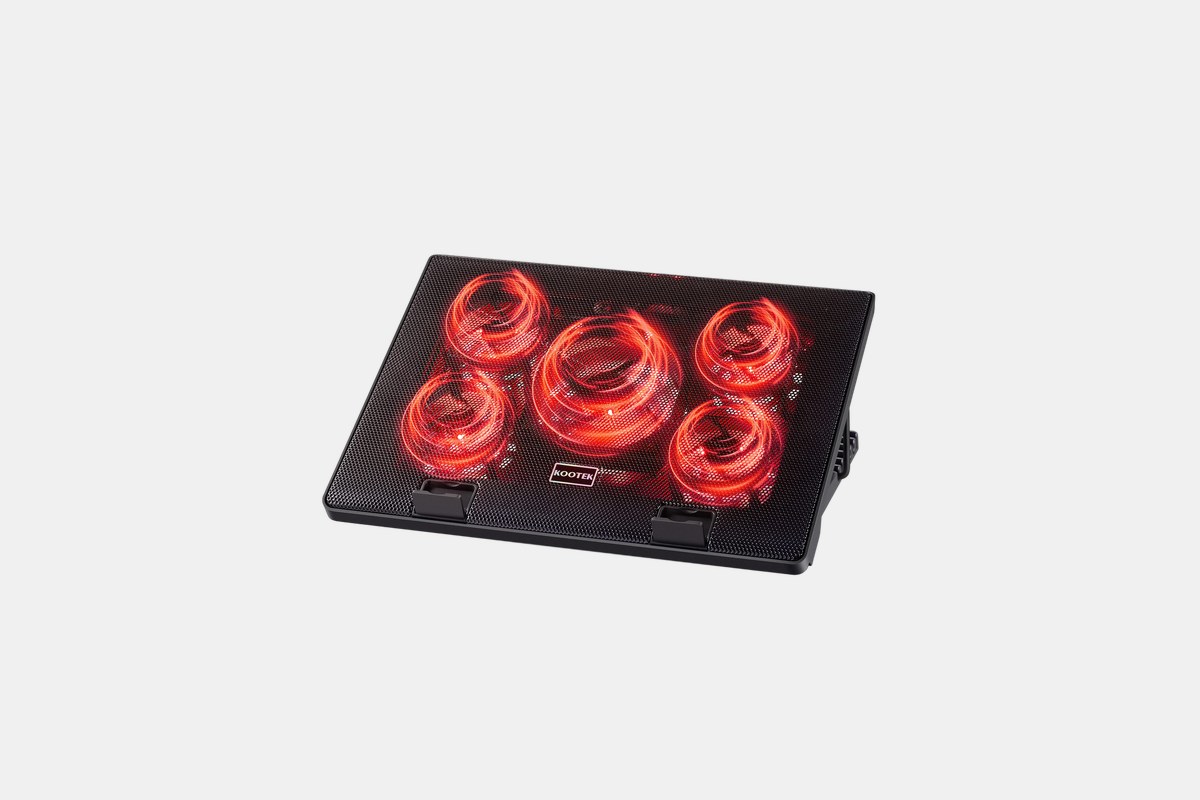
At $30, the Kootek Chill Mat 5 is all about flexibility. It packs five fans—one large 120mm fan in the center and four smaller 70mm fans surrounding it. Best of all, you can choose to run just the center fan, just the outer four, or all five at once, letting you balance cooling power and noise.
This is my pick for anyone who needs versatility. It has six different height adjustment settings, making it one of the most ergonomic pads I tested. It comfortably fits laptops from 12 to 17 inches and provides solid, quiet cooling across the board.
The Downside: With five fans and an open grille, it tends to collect dust faster than other models and may need more frequent cleaning.
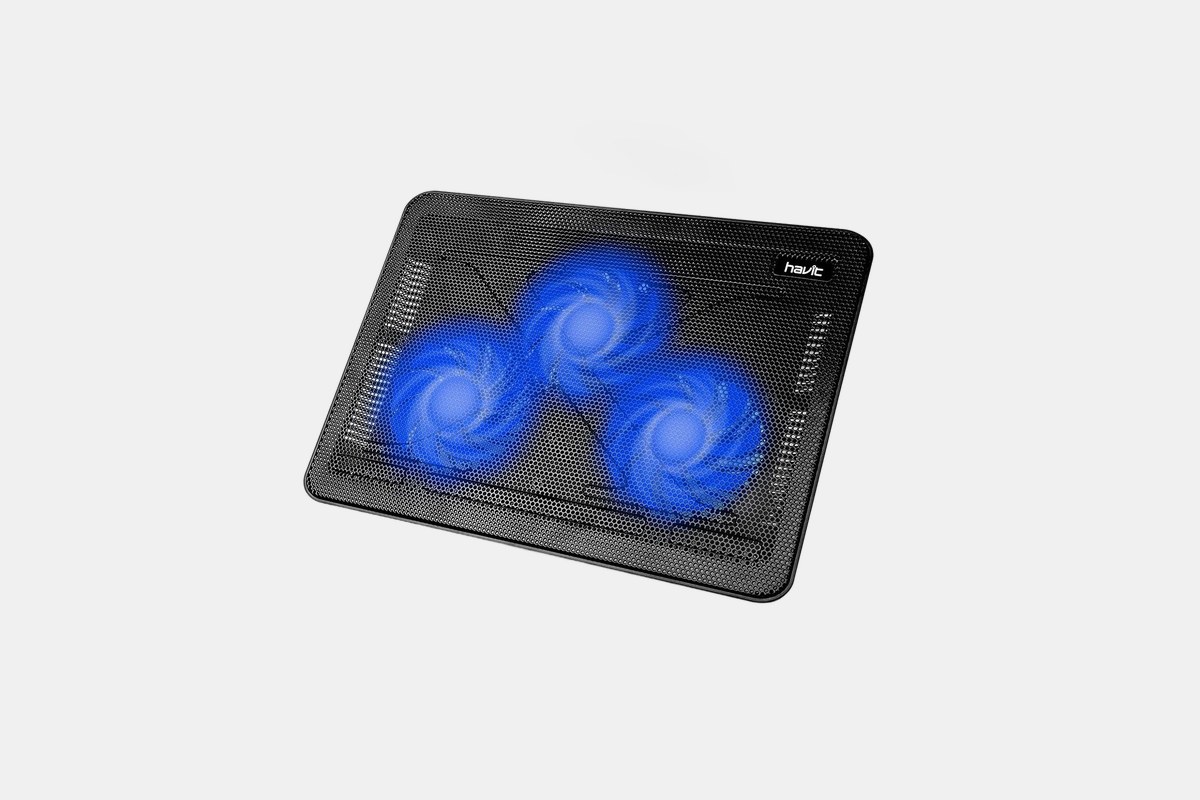
If you’re constantly on the move, the $37 Havit HV-F2056 is the cooler to get. It’s incredibly slim and weighs just 1.6 pounds, so it slips into a backpack without adding any real bulk. Despite its size, it offers respectable cooling for 15.6 to 17-inch laptops.
It uses three 110mm fans that are impressively quiet while pushing a combined 65 CFM of airflow. It’s not going to rescue a severely overheating gaming laptop, but for keeping a MacBook Pro or Dell XPS cool during everyday tasks and moderate workloads, it’s perfect. Two height settings and two extra USB ports round out a great portable package.
The Downside: It’s specifically designed for medium-sized laptops and won’t effectively cover larger 18-inch models or smaller 13-inch ones.
For a steep $150, Razer offers a typically Razer solution: smart, stylish, and expensive. This pad is built for gaming laptops between 14 and 18 inches. Its main trick is the ability to dynamically adjust its 140mm fan speed based on your laptop’s actual temperature, providing more cooling when you need it and staying quiet when you don’t.
The build quality is fantastic, featuring an airtight chamber to direct airflow efficiently. It also includes a 3-port USB hub and, of course, customizable RGB lighting that can sync with your other Razer gear. It’s a premium product for those already invested in the Razer ecosystem.
The Downside: The price is extremely high for the performance, which isn’t demonstrably better than non-smart coolers like the Llano or IETS.
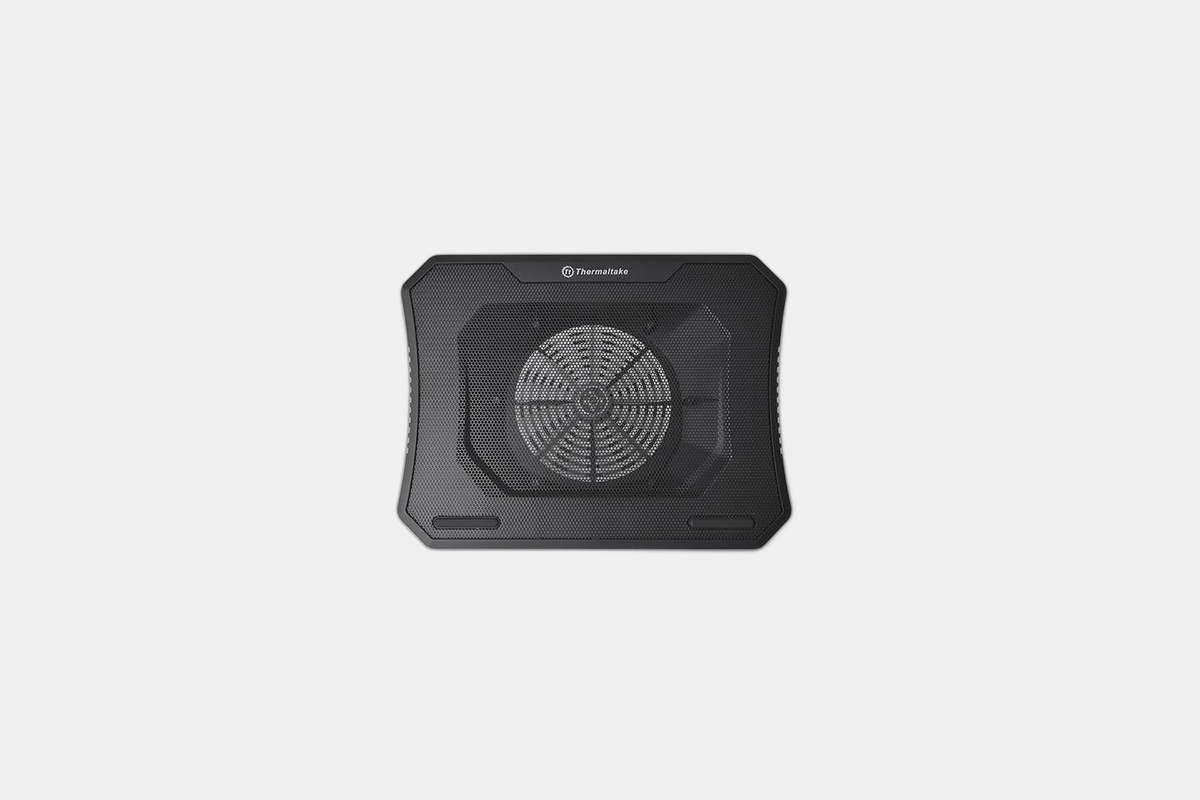
Big laptops need big cooling, and the $50 Thermaltake Massive 20 RGB delivers. As the name suggests, it uses a single, enormous 200mm fan to move a huge volume of air (64 CFM) at a low, quiet speed of 600-800 RPM. This makes it one of the quietest coolers I tested, maxing out at just 30 dBA.
The steel mesh surface and large fan provide excellent coverage for gaming laptops up to 19 inches. It also has three height adjustment settings and five different RGB lighting modes if you want to add some flair to your setup. For the price, it’s a fantastic option for owners of large desktop-replacement laptops.
The Downside: Depending on your laptop’s USB power output, you might need to plug it into two separate USB-A ports to get full power for the fan and lights.
When I was testing these pads, I focused on a few key things. First and foremost is performance. Does it actually lower temperatures? Models with a single large, high-RPM fan and a sealed gasket, like the Llano and IETS, deliver the biggest temperature drops. Multi-fan units like the KLIM or Kootek offer broader, more even cooling that’s often quieter.
Ergonomics and size are next. Make sure the pad you buy actually fits your laptop—most list a supported range, like “14-19 inches.” Adjustable height settings are a huge plus, as they can put your screen at a much more comfortable eye level, preventing neck strain during long sessions.
Finally, consider the extras. Features like built-in USB hubs are great because the cooler itself will always occupy one of your laptop’s ports. Fan speed controllers, dust filters, and of course, RGB lighting, are all nice-to-haves. Just don’t let them distract you from the pad’s primary job: moving air and keeping your machine from throttling.
12 Best Clear iPhone Cases
Top 8 Neckband Earbuds
7 Best Crossbody Phone Cases
Best Toddler Cameras
